20–300
Accurate, uninterrupted timing
Rock solid from the first bar to the last. The click keeps playing with the screen off, and notifications never pause it or turn it down.
Metronome for Android
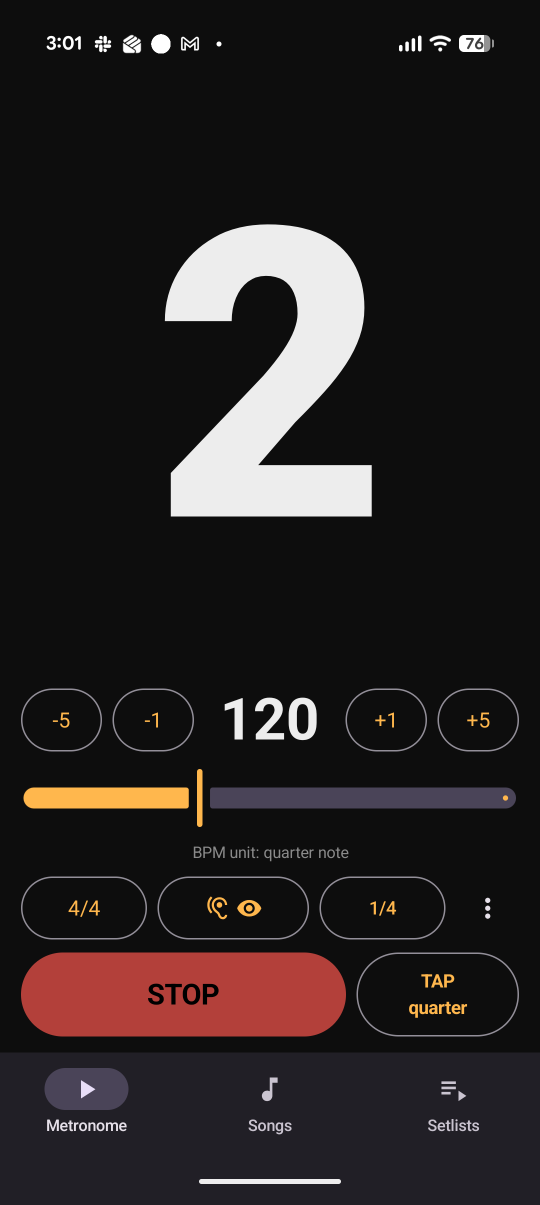
Accurate timing. Clear counts for common and odd meters. A beat display you can read while playing, plus setlists you can step through on stage.

US $0.99 · Pay once, own it
Android 8.0+ · No ads · No account · No data collected
Why GigClick
20–300
Rock solid from the first bar to the last. The click keeps playing with the screen off, and notifications never pause it or turn it down.
7/8
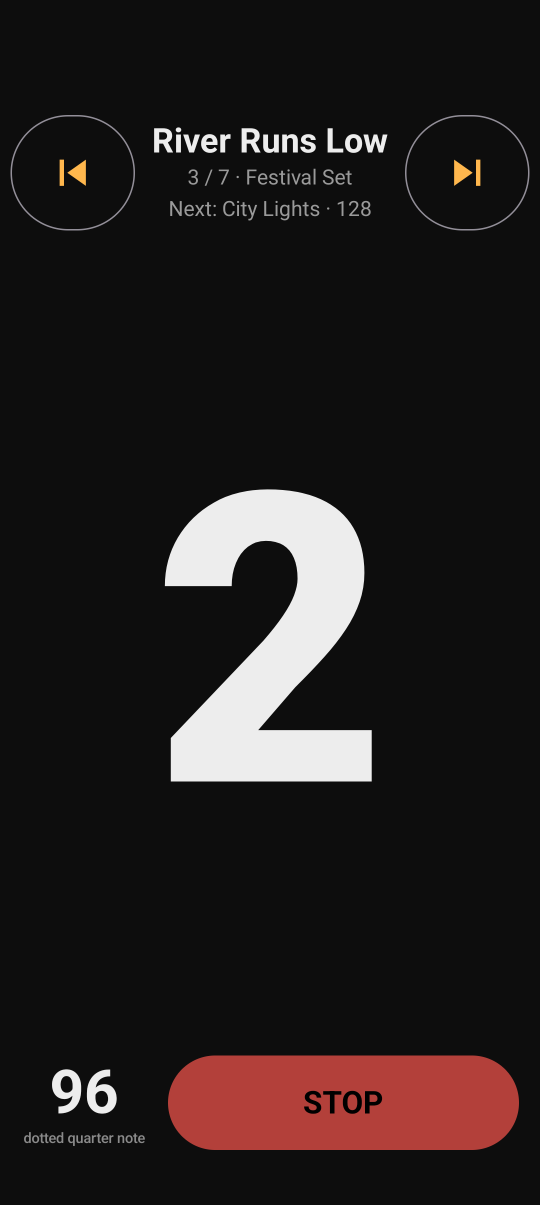
Choose where the main beats fall in 6/8, 7/8 and other odd meters. GigClick shows the grouping and whether the BPM counts quarter notes, eighth notes or another note value.
◀ ▶
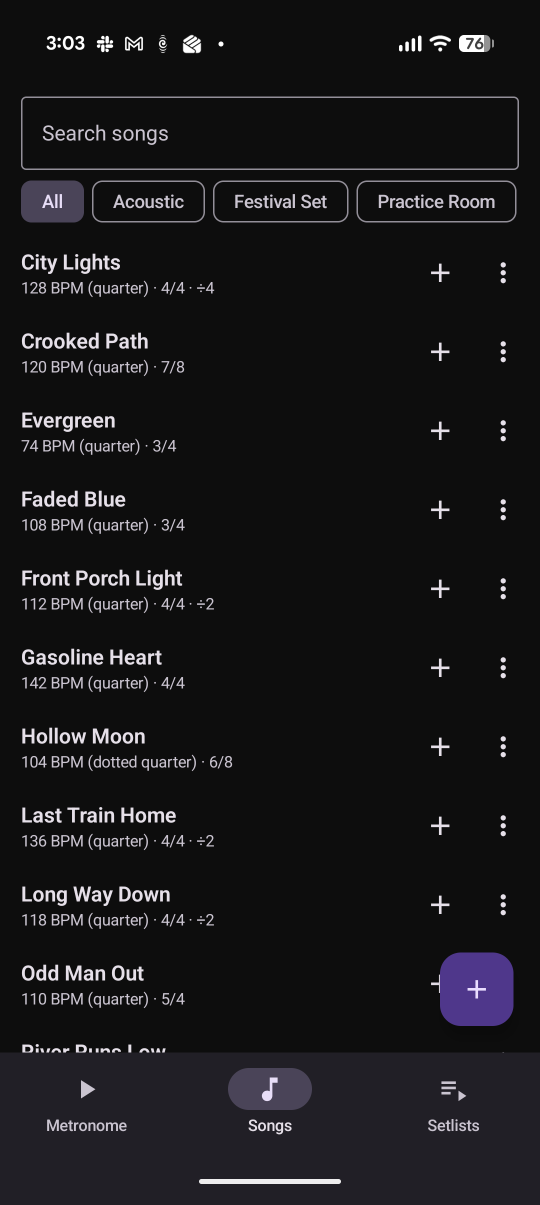
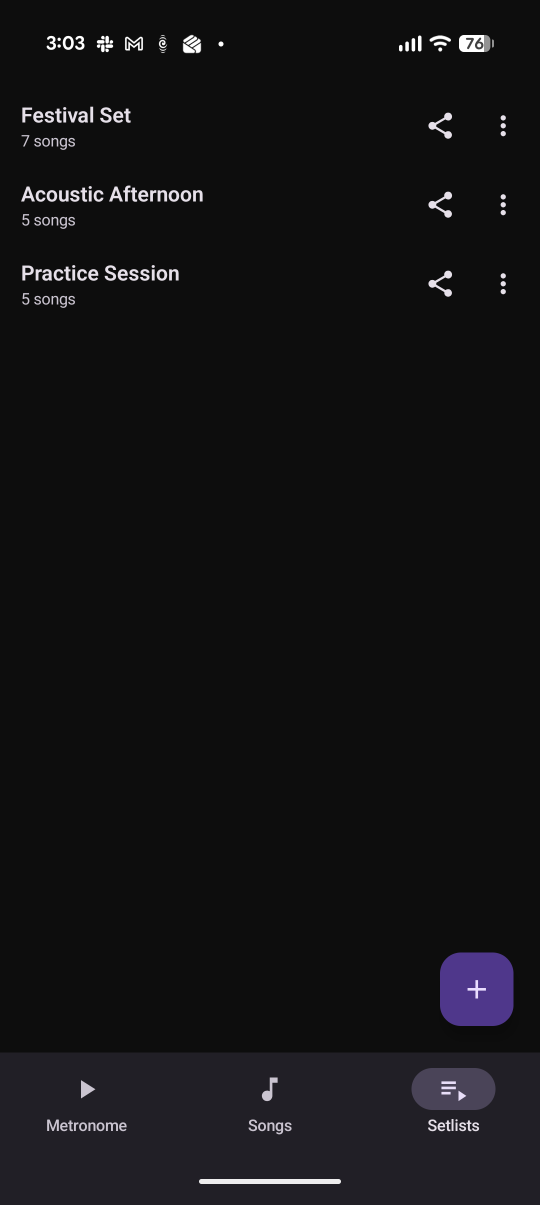
Save a tempo, meter and click pattern for each song. Load a setlist and move through it with large previous and next controls. Full screen mode leaves only the count and setlist controls on screen.
The app
Bluetooth sync
Bluetooth adds a delay between your phone and your headphones or speaker. GigClick measures that delay and shifts the visual count to match. You can save a manual adjustment for each output.
Practice
Choose quarter notes, eighths, triplets or sixteenths. The display shows the full count, including 1 e & a.
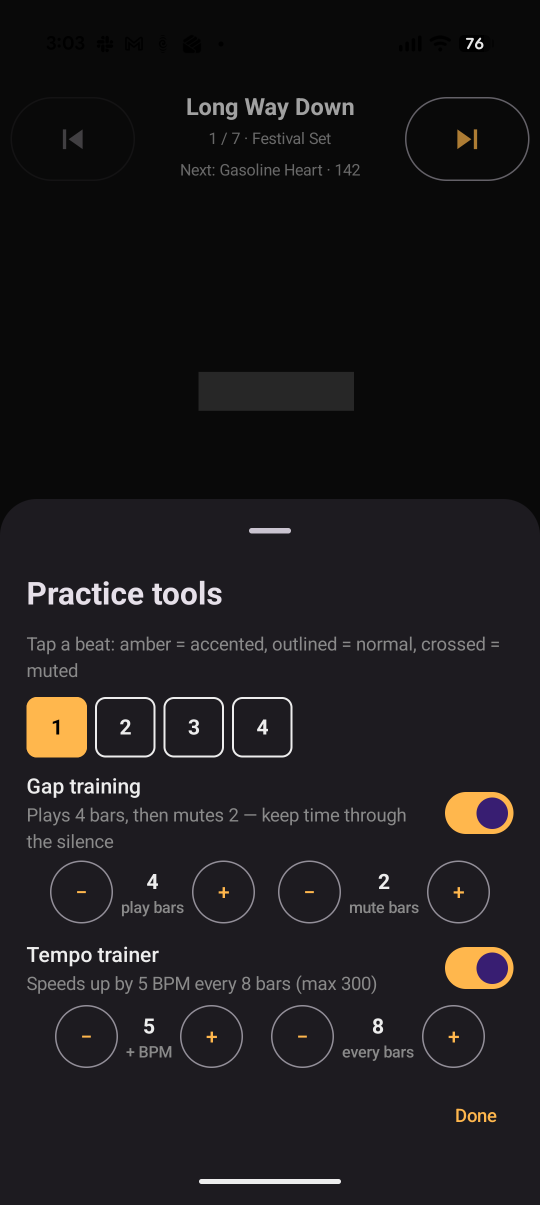
Choose which beats are loud, normal or silent. For example, create a backbeat click that only marks 2 and 4.
Choose how many bars play and how many are silent. Keep time through the gap and check where you land when the click returns.
Let the tempo climb while you play — say +2 BPM every 8 bars. You set the step and the bar count; it stops at 300.
Tap the beat and GigClick sets the BPM.
Choose Classic, Woodblock or Soft, then set the click volume and beat-flash strength.
Price
US $0.99
Pay once. Own it.
Your songs and setlists stay on your phone. Nothing is uploaded or tracked.
Practice guides
Three guides: keeping steady time, building speed cleanly, and getting through repetitive practice.
Questions
GigClick currently runs on Android 8.0 or newer. There isn’t an iPhone version yet, and I don’t have a date for one yet.
Yes. The click continues when the screen is off or GigClick is in the background. Notifications do not pause or lower it.
If the audio output changes while the click is running, GigClick stops to avoid playing through the phone speaker. Press Start to continue on the new output.
Yes. Export any setlist as a PDF with the song order, tempos and meters.
Export your library as a backup file, then import it on the new phone.
No. There is no account to sign into and no servers. Nothing is collected and nothing is sent over the internet.